Exenai Candidate
One branded place where candidates find jobs, apply, track their applications, prepare for interviews and complete onboarding, reading and writing live to Bullhorn or Invenias.
The challenge
The industry has spent twenty years improving the tools consultants use and very little improving what it feels like to be the person applying.
Their bank and their energy supplier give them instant access, full visibility and control. That's the bar.
Automation sends the emails, forms and links, but there's no branded place for candidates to return to.
Accurate skills, preferences and credentials come from candidates who are invested in their own record.
The journey
By keyword, sector and location, straight from your CRM.
Sign in with LinkedIn, Google, Microsoft, Apple or a code by email. The CV fills in the profile.
Each role, the consultant handling it and where it has got to.
The time, the place, who they're meeting and what to bring.
Declarations, documents and checks captured for each role and region.
Contracts signed and filed back to the right record.
What's included
Candidates see their live record, manage their own data and deal with your firm the way they deal with every other service they use.
Your live jobs, searchable and ready to apply for in two steps.
Sign in with an account they already own, or a one time passcode.
The CV fills what it can and smart questions ask only for what's missing.
The full history of roles, consultants, interviews and outcomes.
Everything they need in one place before they walk in.
For search: send a briefing, see when it's read and book the call.
Candidates see how their data is held and manage their own preferences.
Last sign-in, briefings opened and profile status, inside the record.
Parsing and classification
AI reads the CV, fills in the profile and writes a short summary. Candidates are then asked only the questions your CRM needs answered.
Upload a CV and the profile is filled in with contact details, skills and work history, ready for the candidate to check.
A short summary of each candidate is written to the record, for your consultants to review and edit.
Classification questions are built from your own CRM fields and picklists, such as right to work, availability and role type.
Candidates are asked only for what the CV didn't cover, and each answer is saved to the right field.
Your brand
The candidate site runs on an address you choose, with your logo, colours and type, in light or dark. Try it below.
This is a small sample of the theming options. Layout, style and branding can be customised much further to suit your requirements.
Configured to fit
Forms, fields and layouts are set up around the system of record you already run, in the languages your candidates speak, across every brand you operate.
Every form field maps to a field in your system of record, including your own custom fields and picklists.
Forms and cards are laid out from configuration, so you decide what candidates see and in what order.
Pages, forms and messages can be translated, so candidates use the site in their own language.
Connect more than one CRM tenant, for groups that run several brands or regions.
On your website
Embed featured jobs and full job search in the website you already have, whatever it's built on.
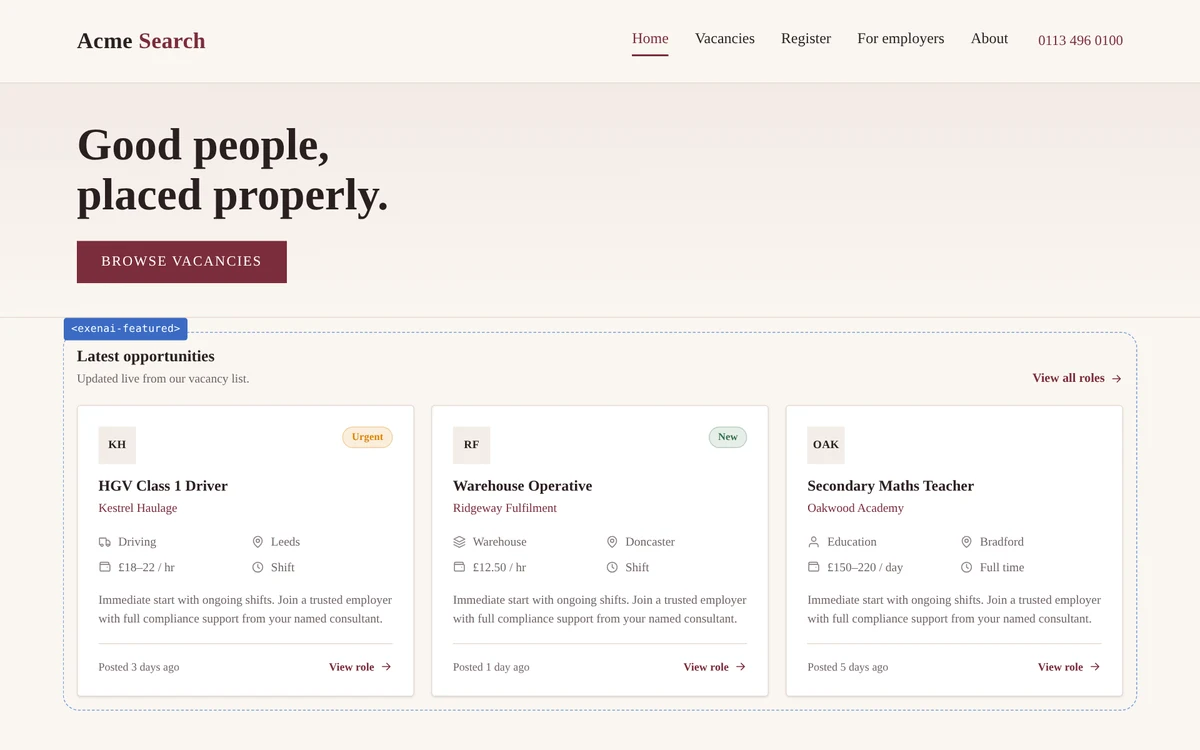
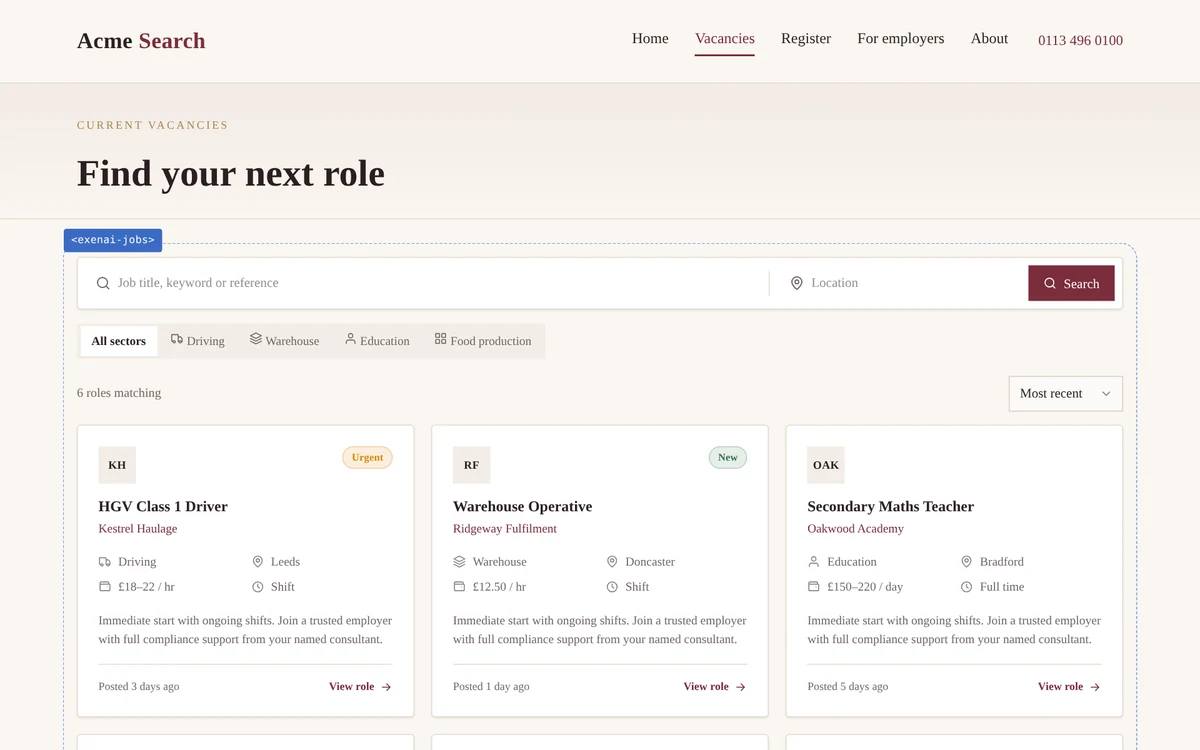
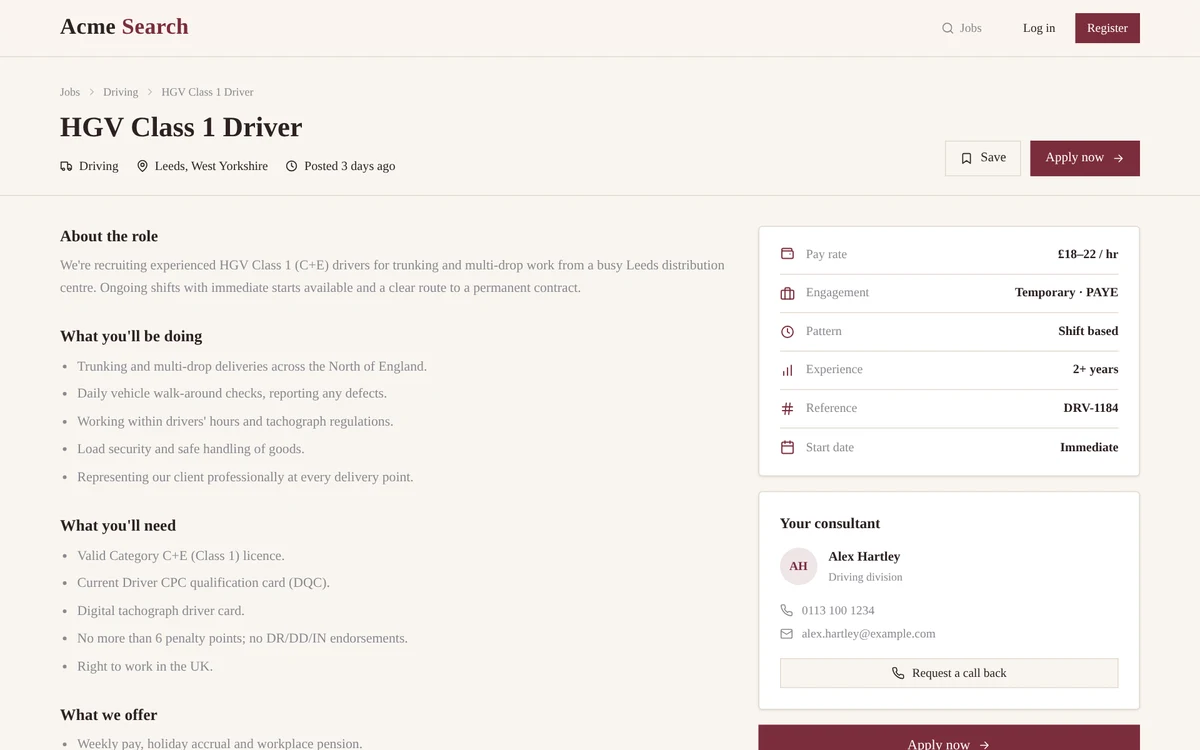
Featured jobs on the Acme Search home page. Click the first job to open it, or browse all vacancies.
The blue dotted line marks the Exenai component, embedded in Acme Search's own page.
Candidate intelligence
Recruiters see who is active, what they've applied for and how far onboarding has got, without leaving the record. Everything reads and writes live, so there's nothing to reconcile.
Onboarding and compliance
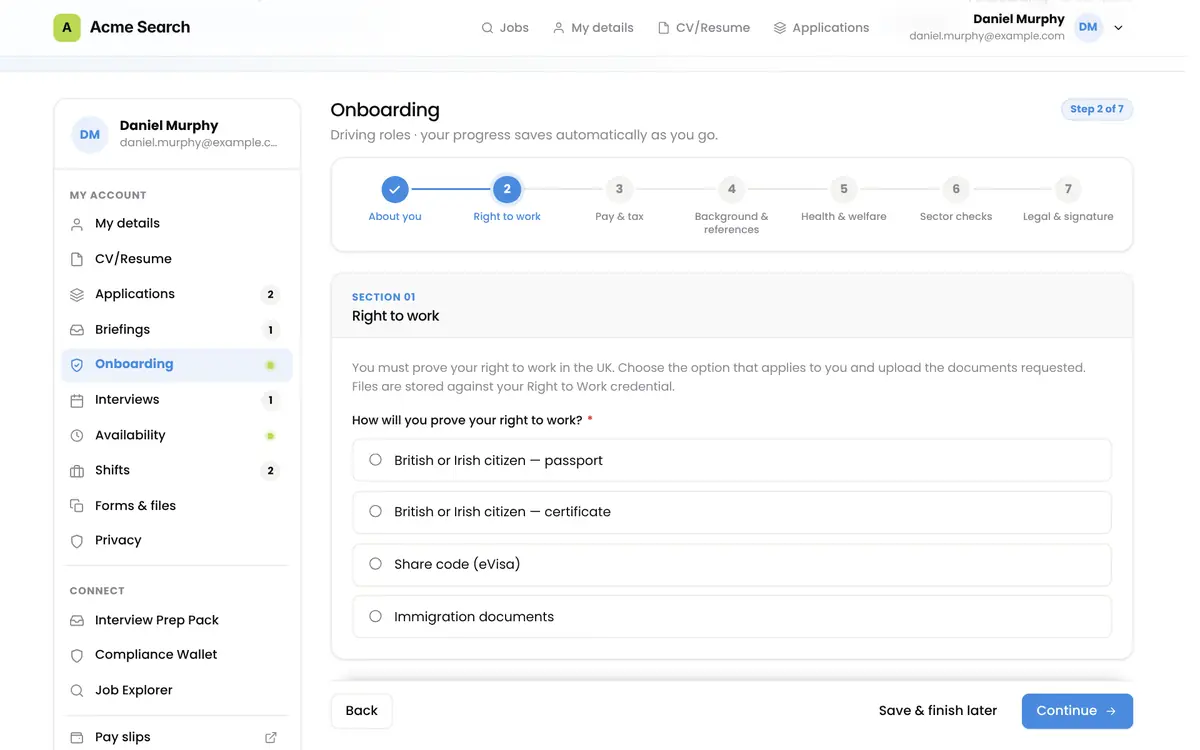
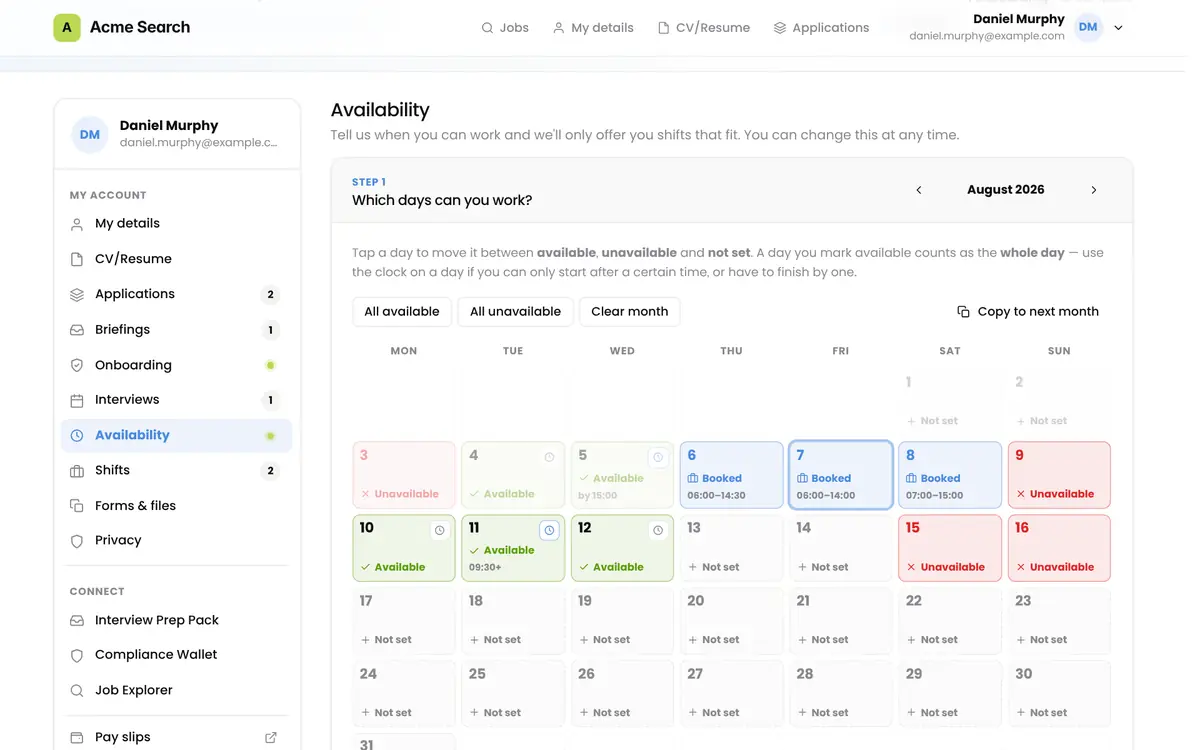
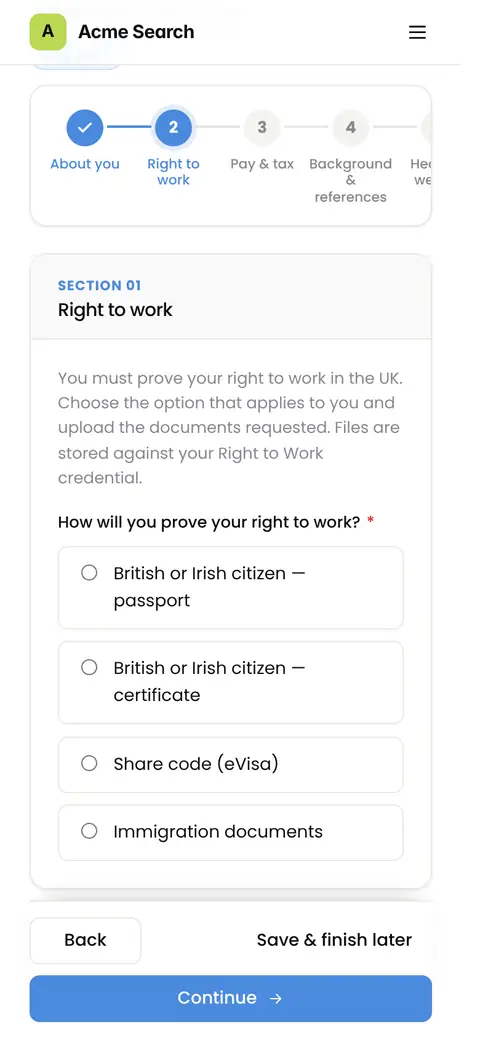
Collect what each candidate, role and placement needs, at the point you choose, and write it straight to the credentialing, shifts and availability you already run in Bullhorn.
FAQ
A candidate site and portal in your brand, on your own domain.
Candidates find your live jobs, apply, track their applications, keep their details up to date and complete onboarding in one place. It runs on your CRM, so consultants keep working where they already do.
Two short steps.
Name, mobile and CV first. The CV is read to fill in the rest of the profile, then the candidate answers a few questions on right to work, the type of role they want and when they are available, with consent recorded.
With LinkedIn, Google, Microsoft, Apple or their email address.
Email sign-in uses a six digit code, so there is no password to set or forget.
Yes, every step.
Candidates can search, apply, upload documents, sign forms and mark their availability from their phone, with the same sign-in they use on a computer.
Their own record, and only theirs.
Their applications and where each has got to, the consultant handling it, upcoming interviews and what to bring, their profile and documents, onboarding tasks and, where you use them, their shifts and availability. They keep their own details and data preferences up to date.
Send a confidential briefing to one candidate, see when it's read and book the call.
Built for executive search. Only the person you send it to can see the briefing, after they sign in. When they open it, that's recorded on their record in your CRM, so the consultant knows when to follow up.
Yes.
Pages, forms and messages can be translated, and each brand or region can have its own language and content.
Yes. Your CRM stays the system of record.
Jobs come live from your CRM, and applications, profile updates and onboarding records are written straight back to it, so consultants see them where they already work. Candidate holds an application until it has been written to your CRM, and keeps a limited cache of a candidate's profile so their pages load quickly. Your CRM remains the primary source of their data.
Yes. Every form field maps to a field in your system of record.
Your custom fields and picklists included. Classification questions are built from those fields, so answers land where your consultants and reports already look. Forms and cards are laid out from configuration, so you decide what candidates see and in what order.
Yes, with one difference.
Jobs, applications and candidate profiles work on either. Onboarding, credentialing, shifts and availability use Bullhorn's own features, so they're available on Bullhorn only.
Yes.
Candidate can connect to more than one CRM tenant, and each brand or region can have its own look, language and content without running a separate platform.
On Microsoft Azure in West Europe, for every customer.
Candidate runs in Microsoft's West Europe region in the Netherlands, wherever you're based, on the same platform as Exenai Connect. Your CRM stays the system of record.
AI reads CVs and writes summaries. It doesn't rank, score or decide.
AI fills in the profile from the CV and writes a short summary to the record for your consultants to review and edit. It isn't used to rank, score or filter candidates, and a person always makes the decision. Candidate data is never used to train public AI models.
You are the controller. We act as your processor.
Candidate data belongs to you and we process it on your instructions under our Data Processing Addendum. Candidates can see how their data is held and manage their own preferences from the portal.
Everything a candidate completes before they start, written into Bullhorn.
Declarations, documents, checks and registration forms, requested for each role and region, with progress saved as the candidate goes. Documents and answers are written to Bullhorn credentialing, where your compliance team already works.
When you choose.
Ahead of time, as part of an application, or in response to a placement. You decide the point for each type of role.
From the credential requirements you already set in Bullhorn, or a list you define.
One credential can branch into several routes, so right to work follows the route that fits each candidate rather than one form for everyone.
Yes, registration forms.
Registration forms are signed online and the signed copy is uploaded to the candidate's record in Bullhorn. Contract signing with DocuSign or SignNow is something we build as part of Automation as a Service.
Yes, for high-volume and blue-collar work, on Bullhorn.
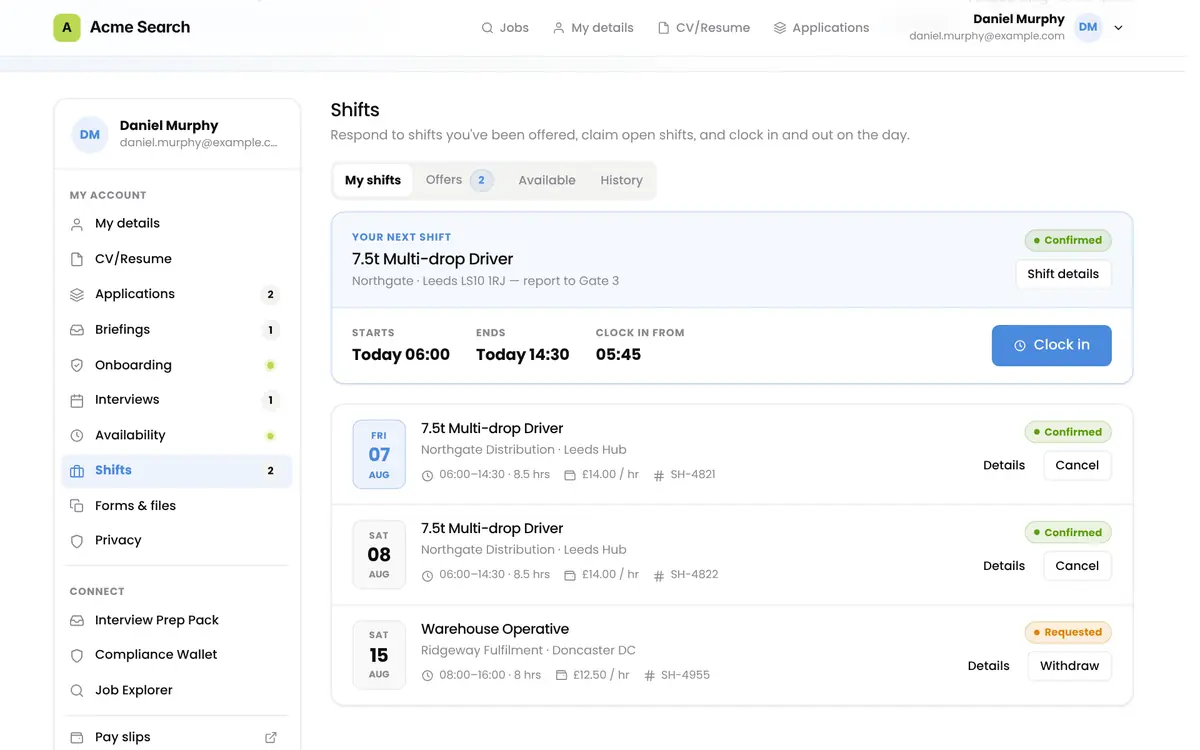
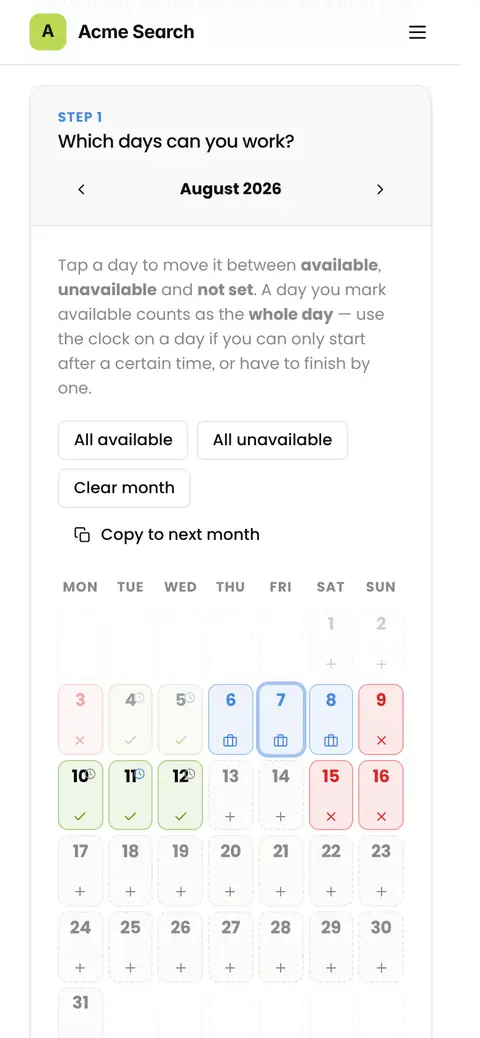
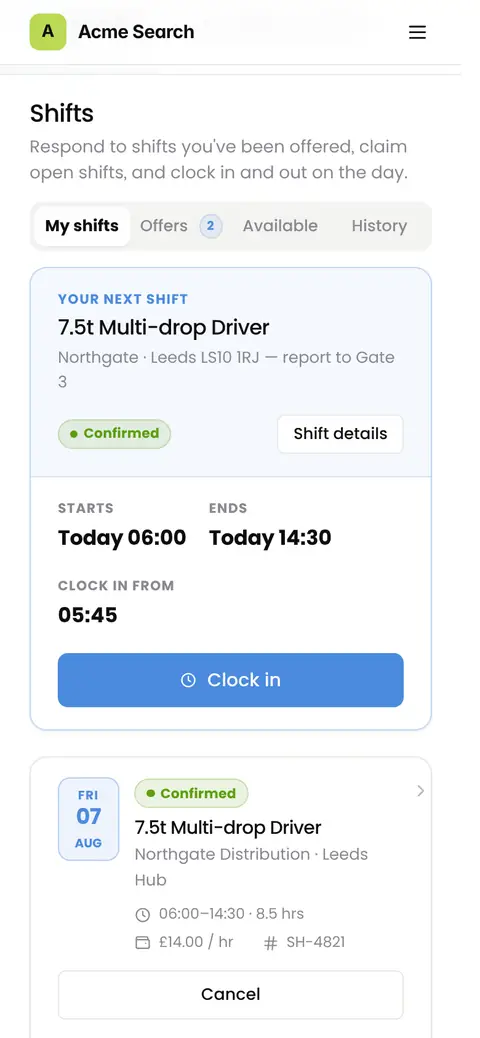
Candidates mark the days they can work on a calendar, which goes straight into availability in Bullhorn, and see their next shift and everything booked. It needs Bullhorn's shifts and availability features enabled on your account. They're most common in North America, and some of our European customers use them too.
Yes. Logo, colours, type, layout and domain are yours.
The candidate site runs on a subdomain of your own domain, such as candidates.yourfirm.com, and brand settings are changed with a live preview.
Yes, whatever your website is built on.
Featured jobs and full job search embed into the site you already have. Each role carries the structured data Google uses to list it in its job search, and because jobs come from your CRM, a filled role comes down without anyone editing the site.
Candidate is built on Connect.
It uses the same governed connection to Bullhorn or Invenias and runs on the candidate surface. You can take Candidate on its own, or alongside Connect for the apps and AI your team uses.
No. It's made of modules.
Jobs and applications, profiles, interview packs, briefings, data privacy, onboarding and compliance, and shifts and availability are each switched on as you need them, so you can start small and add the rest later.
We do.
Exenai hosts and runs Candidate on Microsoft Azure. We set it up on your CRM, apply your brand and domain, and monitor and support it from then on, with the same support hours and response targets as the rest of Exenai.
As soon as your API access is in place.
For Bullhorn, that usually means 24 to 48 hours to get your API key from Bullhorn support. For Invenias, an admin user can set up access with us on a call.
Candidate runs on Microsoft Azure, certified to ISO 27001 and SOC 2.
Candidate is hosted in Microsoft's West Europe region, whose data centres and services are certified to ISO 27001 and SOC 2, among other standards. Our Data Processing Addendum, sub-processor list and technical and organisational measures are published on our Legals page.
See how your candidates would find, apply and onboard on a site in your own brand, live on Bullhorn or Invenias.